Jamstack Conf: call for speakers! Next.js and other top SSGs to watch. Take the 2021 Jamstack community survey. And more.
🎷 We're Jammin'! Take the 2021 Jamstack Community Survey
We want to hear from you! Take the 2021 Jamstack Community Survey to tell us about the tools you use, your favorite frameworks and programming languages, and more. Our goal is to pull together the most comprehensive view of the Jamstack ecosystem and share insights back with the community. Please take the survey and share it with your network to help get as much data as possible!
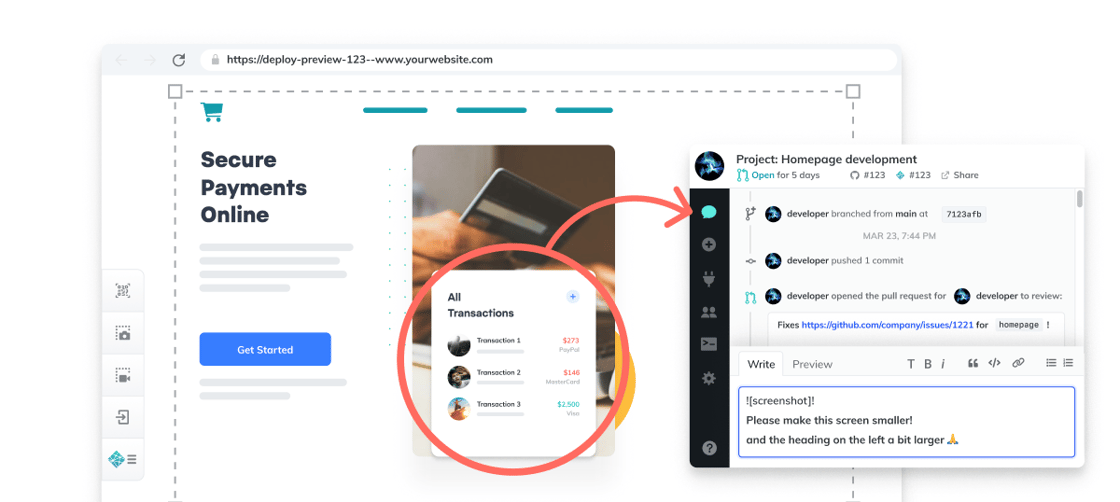
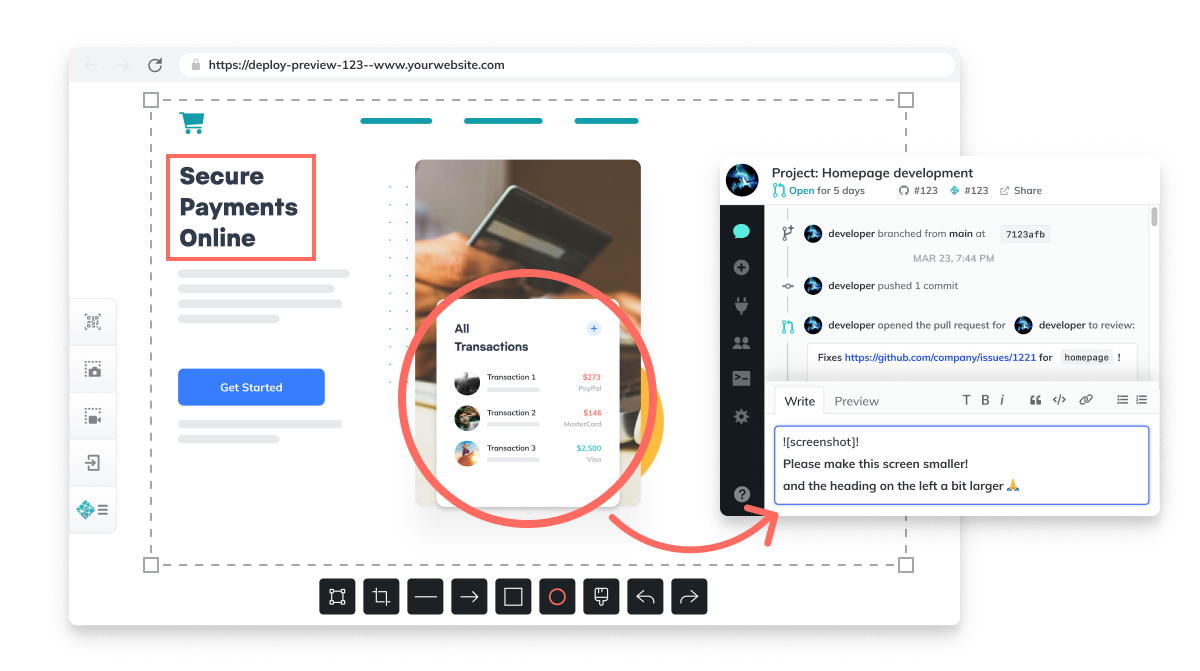
New, community-driven features for collaborative Deploy Previews
We launched collaborative Deploy Previews on May 19th, and have already gotten some great feedback to improve the Reviewer experience and accessibility. You can now move the Netlify Drawer, easily access permalinks, and more. And don't forget, Netlify teams can add unlimited Reviewers for free.
Jamstack Conf 2021 is happening October 6-7. Tell us your Jamstack story by submitting a talk for consideration! Did you implement an API or integration? New lessons learned? Modern capabilities and techniques your peers can learn from?
How VMware's Tanzu Developer Center boosted users 300% with Netlify
Choosing Netlify for its Jamstack approach allowed the VMware Tanzu team to stand up a site in only three months, and triple their expectations for users in the first year.
We'd like to extend a warm welcome to the latest companies who trust Netlify with their web infrastructure! Learn more about Netlify's enterprise products.
Netlify, 2343 3rd St. Suite 296, San Francisco, CA 94107
Find out what projects the Netlify team has been working on and learn about new product enhancements.
Hi folks!
Following an announcement in April to enhance support for Next.js and shorten build times for large sites, May was even bigger. We announced our first acquisition and the next generation of Deploy Previews to help teams gather feedback faster on web projects. But that's not all. Read on to discover what else is new with Netlify!
Introducing new collaborative Deploy Previews
Netlify introduced new collaborative Deploy Previews, to help teams, groups and pods manage feedback and deliver better web experiences. Development is a team sport and now it's easier than ever to get the rest of the team involved and reviewing pull requests.
Netlify GitHub App permission updates with collaborative Deploy Previews
If you use the Netlify GitHub App, you may have received a permission email due to changes we made for the new Deploy Previews features. With Netlify's collaborative Deploy Previews, we are now subscribing to events from GitHub activity to display them in the Netlify Drawer. This keeps the activity between Netlify and GitHub in sync and allows your Netlify team to be able to create new GitHub issues from the Drawer as they review Deploy Previews.
We've seen a big increase in the use of serverless functions as teams turn to Jamstack to modernize web apps. Now we're making it easier to manage and troubleshoot Netlify Functions —and related features like Background Functions and On-demand Builders— with a bunch of improvements to the logs.
Configure Build Plugins by deploy context - You can now configure your Build Plugins by deploy context. Deploy contexts refer to the different types of deploys of your site on Netlify, including production deploys to your primary site URL, Deploy Previews, and branch deploys built from a specific branch of your site repository. With this new feature, you can choose which plugins run in each context, and configure plugins to run with different inputs per context. Check it out
Create React App on Netlify - Create React App is a command line tool that generates a boilerplate React single-page application with a pre-configured build pipeline. It simplifies the complexity of setting up a React project, allowing you to focus on building out the app itself. Read the docs
New Ubuntu 20.04 Focal Fossa Build Image - We are pleased to announce the Beta release of our new Build Image v4.0.0 based on Ubuntu 20.04 Focal Fossa. To opt-in, navigate to the Build & deploy section in the Netlify app, edit the Build image selection settings, and choose Ubuntu Focal 20.04 (beta). Along with the operating system update, the new image comes with a few deprecations and upgrades. Learn more
File-based configuration - In addition to using the Netlify UI to configure build settings, deploy settings, and environment variables, you can now configure these settings in a netlify.toml file stored in the root of your site repository. The netlify.toml file is a configuration file that specifies how Netlify builds and deploys your site — including redirects, branch and context-specific settings, and more. Read the docs
Forms deletion in the Netlify UI - Now you can delete your own forms through the Netlify UI. You no longer need to flag down a support team member. Read the post.
We can't wait to see how these new product capabilities and articles will help your team create even more incredible websites and web apps. To stay up to date on changes like these, head over to the updates category in Netlify Support Forums, click on your profile icon, and then the bell icon to receive real-time notifications. We can't wait to see what you build next!
Brad Johnson Product Marketing Manager, Netlify
Netlify, 2343 3rd St. Suite 296, San Francisco, CA 94107